0

Sneak peek of what’s coming in Windows Live Movie Maker

Last month, the Windows Live Movie Maker team made a blog post with a status update on what’s been happening to Movie Maker. To give you a recap, in the post Mike Torres offered some glimpses of what to expect from the new version, including more rich-editing capabilities (more transitions, trim, split, multiple soundtracks), “some sort of a timeline”, and a simple interface that would “allow more experienced people to go deeper when they need to”.

Today I was fortunate enough to catch a glimpse of the new version. The first thing I’ve noticed is a more comprehensive ribbon menu with much more functionalities compared to the version we’ve been seeing since December last year. First things first, here’s a screenshot of the newly updated Movie Maker:

Windows Live Movie Maker

We can see that the ability to add titles, captions and credits is back. New options such as image/video rotation are also available. One noticeable button is “AutoMovie” – which will automatically “add titles, credits, transitions, and effects, and fits it all together for you.” Here’s a clearer view of the ribbon:

AutoMovie

Many people were disappointed about the lack of a “timeline” in the new Movie Maker. Although as Mike stated that the timeline might not make a return, he promised that there will be something that resembles a timeline. While we’re not sure what the “View” menu will do, here’s a preview of the new “storyboard”-like view now showing you the positions of titles and soundtracks:

Editing

As seen above, Movie Maker also now take advantage of the new ribbon interface with the “Video Tools” and “Music Tools” tabs only appearing when you’re selecting a video or audio section of your movie. Trimming and other editing tools will be available on these tabs which will allow you to edit that section of the movie. In addition, as promised by Mike, dozens of new animations, transitions and visual effects will also be available:

Animations and Transitions

Finally, as Soapbox on MSN Video is due to be shut down by the end of this month, Windows Live Movie Maker now supports direct upload to YouTube instead, built-in right out-of-the-box:

YouTube upload

It does seem like the Microsoft have added tons of improvements to Movie Maker, however, we’ll still have to wait to see whether the “timeline” view will make a come back or not. Of course, do bear in mind that the screenshots and features discussed here are still in the works, and things might still change before v1 ships. So stay tuned at LiveSide for the latest updates!

Source


0

Windows 8 Codename “Midori” is on the way

Microsoft is finally ready to release Windows 7 RTM build, but i have noticed that in backstage MSFT is also cooking Windows 8 which is in Pre-Alpha stage.

From the secret source, I have collected Screenshots and Bild tags. The build tags looks promising after having eyes to the screenshots attached below.

build tags of Windows 8 Pre-Alpha bits.
Windows 8 Pre-Alpha build 7302
Windows 8 Pre-Alpha build 7304
Windows 8 Pre-Alpha build 7308
Windows 8 Pre-Alpha build 7312

Screenshots (Confirmation of Build tags)


0

Windows GUI between 1981-2009


A Graphical User Interface (GUI for short) allows users to interact with the computer hardware in a user friendly way.

Over the years a range of GUI’s have been developed for different operating systems such as OS/2, Macintosh, Windowsamiga, Linux, Symbian OS, and more.

We’ll be taking a look at the evolution of the interface designs of the major operating systems since the 80’s.

I should mention that this article showcases only the significant advances in GUI design (not operating system advances) and also not all of the graphical user interfaces and operating systems existing today.

The first GUI was developed by researchers at Xerox Palo Alto Research Center (PARC) in the ’70s. This research opened a whole new era of computer graphic innovations.

The first personal computer which used a modern graphical user interface was the Xerox Alto, developed in 1973. This was not a commercial product and was intended mainly for research at universities.


Windows 1.0x (released in 1985)

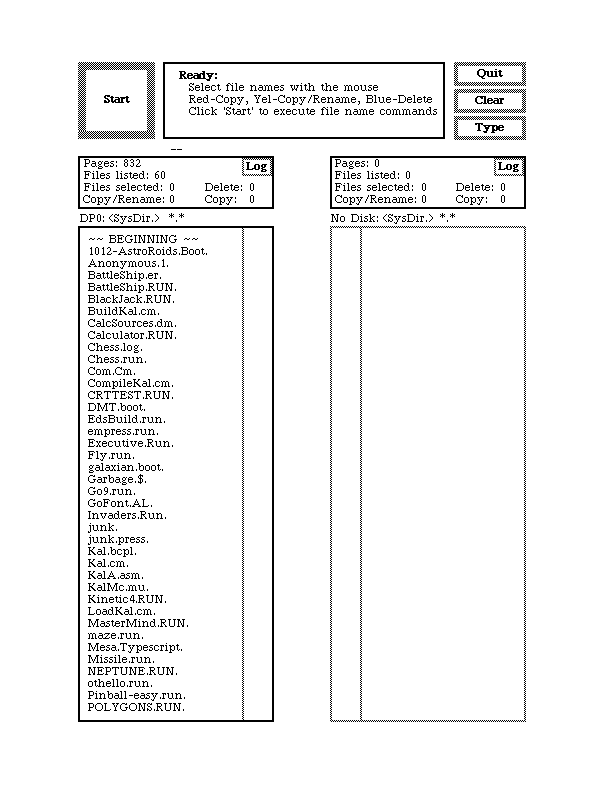
In this year Microsoft finally caught up with the whole graphical user interface craze and released Windows 1.0, its first GUI based operating system (although no one would dare to refer to it as one). The system featured 32×32 pixel icons and color graphics. The most interesting feature (which later was omitted) was the icon of the animated analog clock.


Windows 2.0x (released in 1987)

In this version, the actual management of the windows had significantly improved. The windows could be overlapped, resized, maximized and minimized.


Windows 3.0 (released in 1990)


By this version, Microsoft had realized the real potential in GUI’s and started to significantly improve them.

The operating system itself supported standard and 386 enhanced modes, which made use of higher memory capacity than 640 KB and hard disk space, resulting in the ability to use higher screen resolutions and better graphics, such as Super VGA 800×600 and 1024×768.

Also, Microsoft hired Susan Kare to design the Windows 3.0 icons and to add a unified style to the GUI.


Windows 3.1 (released in 1992)


This version of Windows included TrueType fonts which were pre-installed. This effectively made Windows a functional desktop publishing platform for the first time.

Previously, it was only possible to achieve such functionality in Windows 3.0 using the Adobe Type Manager (ATM) font system from Adobe. This version also contained a color scheme named Hotdog Stand, which contained bright hues of red, yellow and black.

This color scheme was designed to help people with some degree of color blindness see text/graphics on the screen easier.


Windows 95 (released in 1995)


The user interface was completely re-designed since version 3.x. This was the first Windows version where a small close button was added to each window.

The design team gave states (enabled, disabled, selected, checked, etc.) to icons and other graphics. The famous Start button appeared for the first time.

This was a huge step forward for Microsoft regarding the operating system itself and the unified GUI.


Windows 98 (released in 199


The icon styles were almost the same as in Windows 95, but the whole GUI could use more than 256 colors for rendering. Windows Explorer changed almost completely and the “Active Desktop” appeared for the first time.


Windows XP (released in 2001)


As Microsoft tends to change their GUI completely with every major operating system release, Windows XP was no exception. The GUI itself is skinnable, users could change the whole look and feel of the interface. The icons were 48 x 48 in size by default, rendered in millions of colors.


Windows Vista (released in 2007)


This was Microsoft’s response to their competition. They also included quite a lot of 3D and animation. Since Windows 98, Microsoft has always tried to improve the desktop. With Windows Vista they released widgets and a somewhat improved replacement of the Active Desktop.


Windows Seven (RC released in 2009)

The RC includes some new features such as Remote Media Streaming which "enables highly secure, remote Internet access to home-based digital media libraries from another Windows 7-based PC outside the home.It will also contain more refined navigation in the taskbar, JumpLists, and search


Windows 8 (In pipeline)

Although Win 7 RTM is not out but still the planning for the next version has already been started.lets see what we have this time

Article includes extracts from Wiki,webdesignerdepo,Microsoft Communities


0

An open letter to Microsoft on Windows 8

Dear Microsoft,

Congratulations on recently releasing the Windows 7 release candidate. As I've mentioned before, it's shaping into an excellent product and I have given my reasons why I think people should upgrade.

But let's pause for a moment and look ahead to your supposed next version of Windows, Windows 8, since it's already in planning stages. Now that you've gotten a way to get some kind of backwards compatibility in your OS virtually, this presents an opportunity to rebuild Windows from the ground up and turn it into an excellent product. Here are some ideas I think should be implemented into the next version of Windows:

One version, one price
There's no need for so many different editions of Windows. It can get confusing to the end user. Just keep it to one edition and one price, say, $129 for example.

Get rid of the registry
The registry is an outdated Windows component that is very confusing to work with. Sure, it does have some advantages like for tweaks and things, but surely there must be a more efficient way to implement the heart of Windows.

Make a new web browser from the ground up
While I do think Internet Explorer has been moving in the right direction, the Trident engine is old and insecure. But I see you're working on a new web browser codenamed "Gazelle" that's supposed to be better than Internet Explorer. This gives you the opportunity to make a brand new web browser from the ground up and possibly give the competing browsers a run for their money. By the way, please make a better UI, I still think IE 8's is a bit messy.

Consider replacing Windows Media Player

with your Zune software
Don't get me wrong, I do like Windows Media Player and have it as my default media player, but I've also used your Zune software, and think it's excellent. But don't take my word for it, Paul Thurrott thinks so as well. If Zune is one of your big products and it's going international, why not replace Windows Media Player with your Zune software?

Make applications easy to install and un-install
Let's face it, sometimes applications can be a pain to install and un-install. DLL files, registry keys, all kinds of stuff scattered everything. I'm sorry but I have to pick out OS X as an example here. To install an application, the user simply downloads the .dmg file, drags it into the application folder, and they're done. To uninstall, they just drag that application from the applications folder into the trash bin. See how easy that is? No DLL files, registry keys to deal with.

With these ideas in mind, the next version of Windows could become an excellent product. Granted, Windows 7 isn't even out yet, and we have got a while to go before its successor is out, but in the computer world, there's never a perfect product, only there's always room for improvement in the future. I wish you all the best with your future products!

Sincerely,
Kevin, a long time Windows user

Well about this article its your say what all you agree with but personaly i believe that app install/uninstall is the most interesting thing.for other points v have had a discussion earlier on as well like 1Version1price,IE is gng good but a new Browser can b thought upon but registry removal doesnt sounds kool 2 me ATM.lets c what MS brings in the pack o Win 8.


0

Microsoft: Windows 8 Major Improvements Beginning Soon

Microsoft: Windows 8 Major Improvements Beginning Soon

Microsoft is gearing up to debut what it referred to as major improvements for Windows 8, designed to take file access in branch offices to the next level. Even if Windows 7 is still in pre-RC stage, with the Escrow for the Win 7 Release Candidate, Build 7077, out the door, Microsoft has already confirmed that it is looking past the next iteration of Windows. The focus on branch office scenarios related to file access simply comes to offer official confirmation that the Redmond company's strategy for Windows client and server platforms stretches well over Windows 7 and Windows Server 2008 R2, even though the two operating system releas... [read more >>]


0

Windows 8 Already Cooking, Beyond Windows 7

Windows
Enlarge picture
Windows 7 Release Candidate is at most a couple of months away, with April 2009 as deadline, while the RTM could be reached within half a year, as early as August, but Microsoft is looking beyond the next iteration of the Windows platform. That's right, Windows 8 is already cooking over in Redmond, with the software giant having kicked off the development process of Windows 7's successor even last year, in 2008. Of course, Microsoft will only admit to the fact that it is in the planning stages of Windows 8, and with the Windows 7 work in full swing as the operating system moves from Beta to Release Candidate and onward, planning sounds just about right.

“I have been very involved in an effort around some early planning Win 8. It's been largely focused on establishing a customer tour where we basically go on-site to customers and really drill into their broad cross-Windows server future needs. Not specifically looking at just the Win 8 timeframe, but just post-Win 7 and beyond. We've done that with the hope of getting these engagements and voice of the customer throughout the product lifecycle and driving that early on into the planning process for Win 8,” revealed Soni Meinke, a senior program manager in the Windows Server group.

more @ Windows 8 Already Cooking, Beyond Windows 7

Page Navigation

IndiBlogger Rank

Hit Stats

About Me

My photo
Technology Lover & an IT Professional.

Twitter

http://www.twitterbuttons.com

MeraWindows

Delhi IT Pro

Delhi Devs

IndiBlogger

IE8

IP Address

Friends

AskVG.com
winspark unlockWindows.com techsurface.com

Copyright © 2009-2010 CyberDimensions | Theme Designed by TheBuckmaker | Re-Designed by: Vasu Jain | Home Page Image : Microsoft Windows 7 . | Theme Distributed by Mumbai Mania